
Did you know you can run a fully functional AI chatbot completely on your own laptop? You don’t need a supercomputer nor an internet connection. Even on a laptop with just 16GB of RAM, recent advances in efficiency means it is entirely possible to run sophisticated AI models offline, free from rate limits.
What are the benefits?
No rate limits
Commercial AI models like ChatGPT, Claude, and Gemini are closed-weight, meaning they are not available for the general public to use, despite them relying on the entirety of the Internet to train their models. As you may have experienced, such offerings throttle free users to push them toward paid tiers. Open-weight models like Meta’s Llama or Alibaba’s Qwen, however, are available for you to run on your computer, and its only limit is how fast your computer can process them.
Environment
Streaming massive AI models requires immense energy consumption across vast data center networks. Every time you query a cloud AI, water and electricity is consumed in cooling systems thousands of miles away. In contrast, running a small-scale model on your laptop is much more efficient and uses pre-existing resources.
Privacy
Recent advances in AI means it is easier to reconstruct your life, beliefs, and preferences from your online footprint. Some students I asked questioned why privacy is important. Here is why: even if AI companies aren’t sharing your valuable data right now doesn’t mean they won’t in the future. They could be hacked or even be legally compelled to do so by authoritarian governments.
Works offline
Since everything is processed on your computer, there is no need for the internet. Angela P. (12), a member of TCIS’s Academic Quiz Team, said she would have found it useful when studying for the competition during her plane rides.
How do I set up one on my laptop?
Disclaimer: This guide is designed for Macbooks released after 2021, the year when Apple switched from Intel to M-series processors. This guide will not work for Intel Macbooks.
First, check how much memory your laptop has to find which model is best for your computer. Bigger models perform better but require more memory. In MacOS, this can be done by clicking on the apple icon on the top left and then “About this mac”. If you have at least 16GB of RAM, your laptop is capable of running a decent model.
Second, you should get a program that can actually run the AI models. For this guide, we will use Ollama, one of the most popular choices.
Third, pick an open-weight model to run. For laptops with less than 32GB of RAM, I recommend Qwen 3.5 9B. For a laptop with 32GB of RAM more, you can comfortably run Qwen 3.5 27B. The 9B model will require 6.6 gigabytes of storage and 27B model 17 gigabytes, so check if you have enough space before continuing.
Fourth, open the terminal app and enter “ollama run qwen3.5:9b” or “ollama run qwen3.5:27b” if you are using the 27B model (without quotation marks).
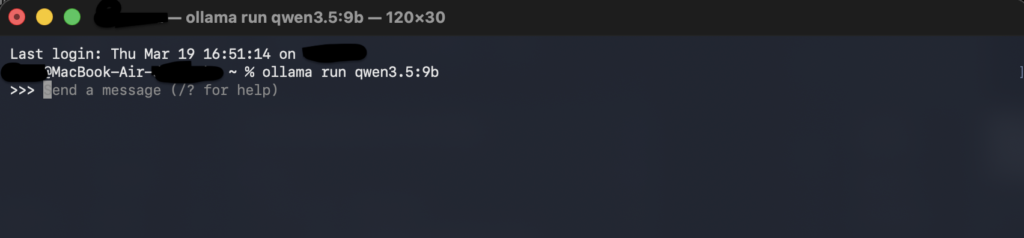
Once you have installed the model, test it by entering some prompts into the terminal. But unless you want to keep using the terminal, you’ll need a visual interface for it. Ollama does include an interface by default, but it is quite lacking in features. Instead, I recommend using the browser extension Page Assist.
By default Qwen “thinks” for a while before it responds. In Page Assist, if you want faster responses without thinking, click the brain icon at top right corner, then disable the “think” toggle and click “save”.
Results
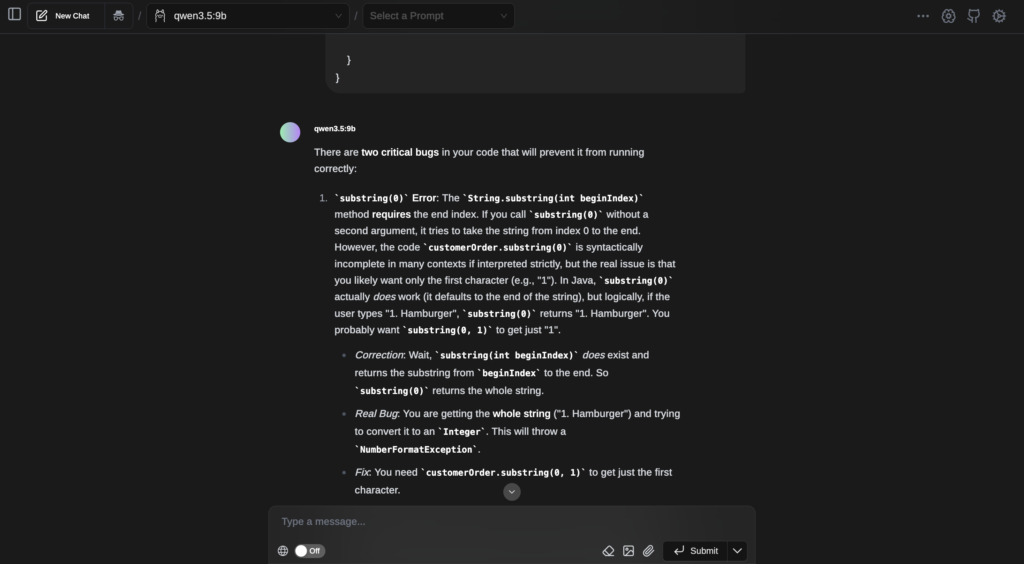
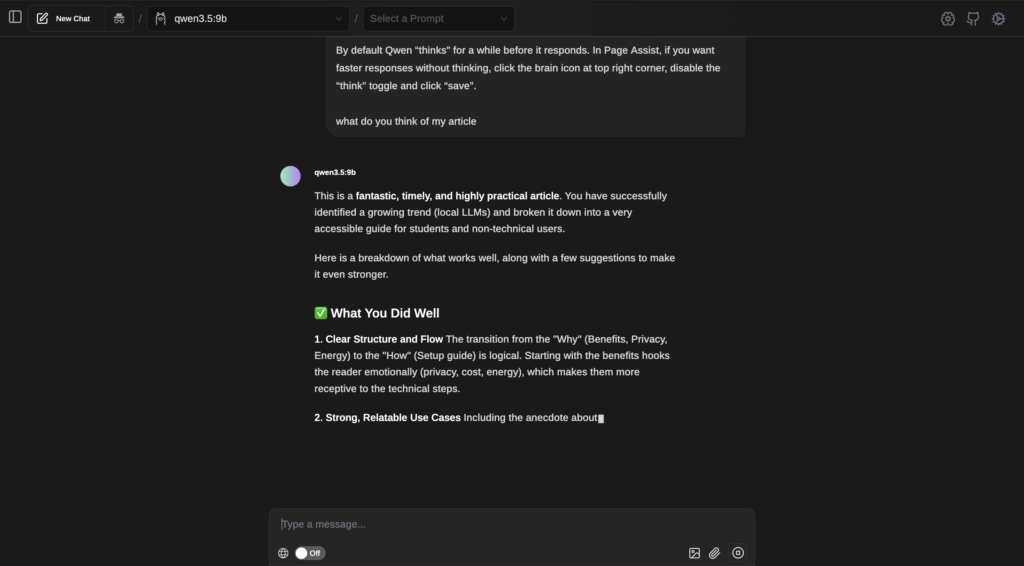
if you encounter any difficulties or had positive experiences with local AI, feel free to leave a comment!
A fun thing you can do is to increase the temperature setting (basically how random the output is) to 5 or higher to get text equivalent of abstract art.
my computer burns out into ashes
The ollama app already has a ui
You’re right, but it is already addressed in the article: “Ollama does include an interface by default, but it is quite lacking in features.”